
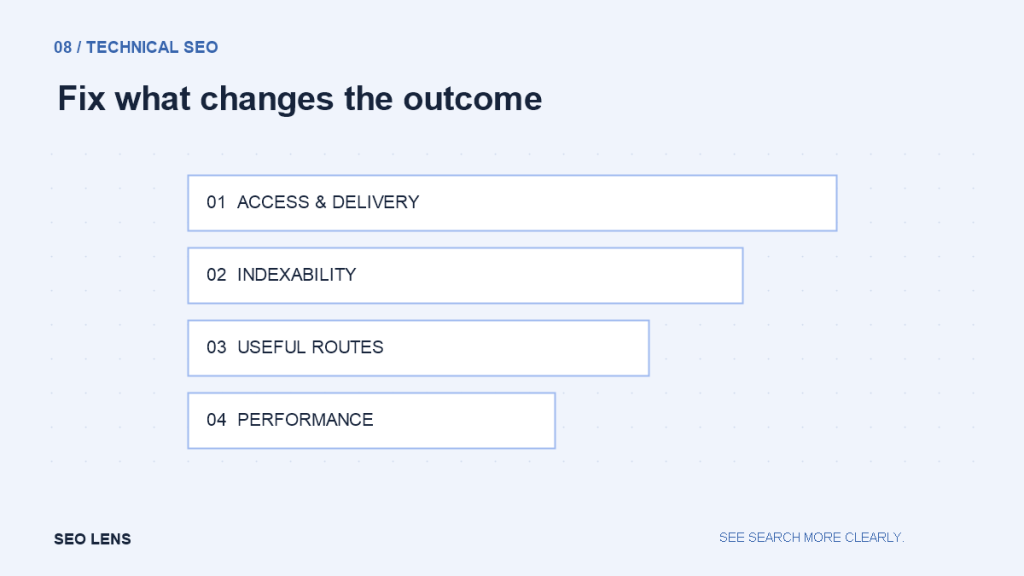
A crawler can generate thousands of warnings in minutes. Turning them into useful work requires a different skill: determining which issues affect important pages, what evidence supports the diagnosis and whether the proposed repair is worth its cost.
An audit should help a team decide what to do next. A long spreadsheet sorted by a tool’s severity label rarely does that on its own. Start with the site’s purpose and the pages that support it, then inspect the technical conditions that could prevent those pages from doing their job.
Define the intended state List the main templates and page groups: articles, categories, products, services, account pages or campaign pages. For each group, decide whether pages should be public, crawlable and indexable. These properties overlap but are not identical.
A login area should not be evaluated against the same expectations as an evergreen guide. A filtered product view may be useful to shoppers without needing its own search result. Without an intended-state map, normal exclusions can overwhelm a report while real failures remain hidden.
Record the site’s recent changes too. A migration, security rule or template release may explain a new pattern. Preserve baseline exports and representative page responses so that you can compare behavior after repairs.
First: access and successful delivery Check important URLs for availability, redirect loops, unexpected authentication and server failures. Inspect the actual response content as well as the status code. A soft error page can return a successful status while telling visitors that the content is missing.
Test across templates and public access conditions. Your logged-in browser may bypass a cache or a restriction. Intermittent failures may require server logs and hosting evidence; a single successful request does not rule them out.
Prioritize shared failures. A broken resource used by every product page can deserve more attention than several isolated errors in an old archive. Estimate the affected population and describe which user or search function is impaired.
Next: indexability and canonical consistency Review robots directives, canonical links and relevant response headers for the pages expected to appear in search. A stray noindex on a shared template is a different class of problem from an intentionally excluded internal search page.
Compare declared canonicals with redirects, internal links and sitemap entries. Conflicting signals can arise when a site changes hostnames, protocols or URL patterns. Choose the preferred form and align the site’s own references where appropriate.
Do not treat canonical tags as a general-purpose cleanup tool. A page about one topic should not be canonicalized to an unrelated homepage simply because it performs poorly. Decide whether to improve, consolidate, redirect or remove it based on its actual role.
Robots and sitemaps need different checks Robots.txt describes crawl permissions for compliant bots. A sitemap lists URLs you want to present for discovery. Neither guarantees indexing. Check that the sitemap contains the intended canonical URLs and does not fill itself with redirected, unavailable or deliberately excluded pages.
Review disallow rules against the real URL paths. A broad rule copied from another environment can have unexpected effects. If a page must be removed from indexing, make sure the chosen method can actually be observed by the relevant crawler.
The crawl and index explainer separates these stages. Use it to name the failure accurately in your ticket: “blocked from fetching” and “excluded from indexing” should not be treated as interchangeable diagnoses.
Internal routes expose structural problems Check whether important pages can be reached through ordinary links. Compare a crawl with the CMS inventory and sitemap to identify orphan candidates. Look for broken links, unnecessary redirect chains and navigation that only works after a complex interaction.
Review the usefulness of the route, not only its existence. A destination linked once from an unrelated archive may still be difficult for its intended readers to find. Architecture and technical accessibility meet here.
When repairing links, point directly to the final destination and confirm that the anchor still describes it. A redirected URL may technically work while taking the reader to a page with a different purpose.
Performance: investigate real friction Measure representative pages on realistic devices and network conditions. Lab tests help reproduce problems; field data, when available, describes actual user experiences across varied conditions. Keep those purposes distinct.
Look for large above-the-fold images, late-loading fonts, layout shifts, expensive scripts and slow server responses. Reserve image dimensions and avoid loading unnecessary components across every page. Test the effect of an optimization rather than assuming that a cache plugin will solve every issue.
Prioritize changes that improve an important journey. A minor score movement may matter less than a menu that becomes unresponsive on a narrow screen. Performance work should connect a measurable problem with a concrete experience.
Structured data and cosmetic warnings Validate structured data against the visible page and the relevant feature documentation. Correct factual errors and broken markup. Do not invent reviews, addresses or credentials to satisfy a schema template. Valid markup also does not guarantee a rich result.
Then review lower-impact issues such as missing optional properties or title-length recommendations. They may be useful editorial prompts, but a tool warning is not proof of harm. A clear title slightly outside a suggested character range may need no change at all.
Write tickets people can implement Each ticket should contain the observed behavior, expected behavior, affected examples, estimated scope and acceptance checks. Add dependencies and a rollback plan for changes that affect routing or shared templates.
For example: “The article template outputs noindex on all published guides. Remove the directive for public articles, preserve it for drafts, and verify source HTML on three published examples and one preview.” This is actionable in a way that “Fix indexing” is not.
Rank work by impact, reach, confidence and effort. Avoid pretending those judgments are mathematically precise. After deployment, rerun the relevant checks and monitor the intended outcome; closing a ticket is not the same as confirming the repair.