
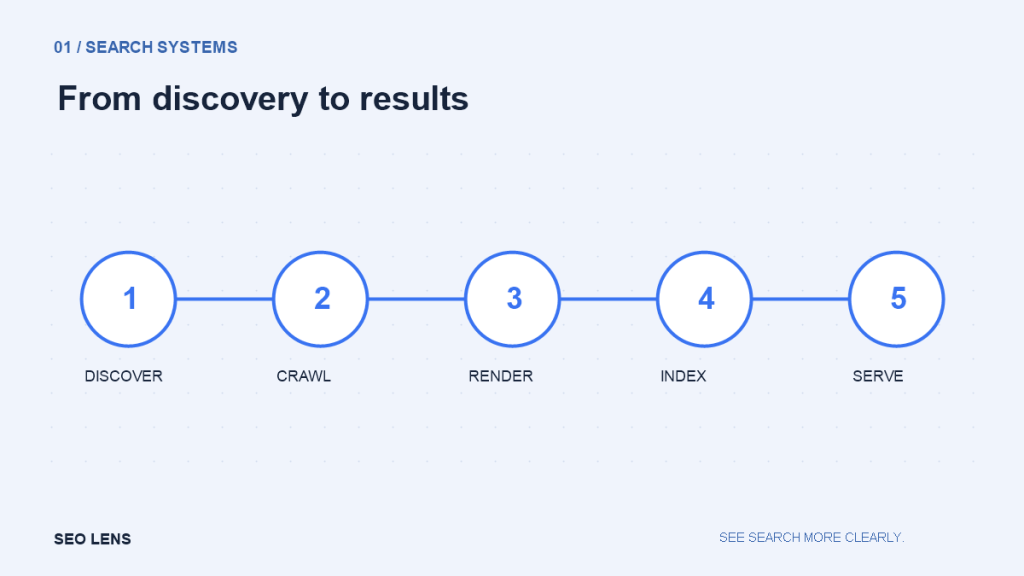
A new page is live. It opens in a browser, appears in your sitemap and contains a carefully written title. Yet it has no search impressions. Before rewriting it, establish where it sits in the search pipeline. A URL can be known without being fetched, fetched without being indexed, and indexed without appearing for the searches you care about.
These distinctions matter because each failure calls for different evidence. Improving copy cannot repair a server that blocks crawlers. Submitting another sitemap cannot make an unhelpful duplicate become the preferred result. Treat the pipeline as a diagnostic model rather than a sequence of guarantees.
Discovery: does the engine know the URL exists? Search engines encounter addresses through links, sitemaps and other discovery mechanisms. A sitemap is an inventory you offer; it is not an order to index every listed page. Internal links provide something an inventory cannot: the relationship between the destination and the rest of the site.
Consider a publisher that adds an article to its CMS but never links to it from a category, hub or related story. The article may appear in the XML sitemap while remaining invisible to readers browsing the site. That discrepancy is a useful warning. Place the page within a meaningful section, then check that the links actually point to the preferred URL.
Use a crawl of the site, a CMS export and the sitemap together. An address present only in the export needs investigation. It could be an intentional landing page, an obsolete draft or a valuable orphan. Do not automatically force every database record into navigation. Our site architecture guide explains how to distinguish useful hierarchy from link clutter.
Crawling: can the server deliver the resource? Crawling is the fetch. The response code, redirect chain and access controls determine what a crawler receives. A visitor with a saved login may see a page that an unauthenticated crawler cannot. A security service may allow a desktop browser but challenge automated requests. Test the public version, not just your own administrator session.
Start with a representative URL and record its response. Does it return a successful document, redirect to a different address, or fail intermittently? A successful response is necessary in many ordinary cases, but it does not prove that the response contains the intended article. Some systems return a friendly error page with a 200 status.
Robots.txt controls crawling by compliant bots. It is not a reliable way to remove an already known URL from search. If a crawler cannot fetch a page, it may also be unable to read a noindex instruction placed on that page. Decide whether the goal is to prevent fetching, prevent indexing or protect private information; those are separate requirements.
Rendering: what content survives execution? The HTML response and the rendered page can differ. JavaScript may insert the main text, replace links, fetch product information or change robots directives. A page that looks complete after several interactions may offer much less to a crawler’s rendering process.
Compare the initial HTML with the rendered document. Look for the main heading, article text and ordinary links. If the central content depends on an API call, check whether that request requires cookies, geographic access or a token. A screenshot alone does not reveal all of these dependencies.
Rendering is especially easy to misunderstand during redesigns. A template can preserve the visible layout while removing real anchor links or putting meaningful content behind an interaction. Test one page from each important template after deployment. A small, carefully selected sample often catches a shared component failure faster than a long list of unrelated URLs.
Indexing: what version is worth retaining? Indexing involves interpreting content and deciding how it relates to other documents. Canonical signals, duplication and page quality affect the picture. A canonical link is a preference signal, not a command that overrides every other signal.
Imagine one guide accessible through a clean address, a tracking URL and a printable version. If internal links, the sitemap and canonical tags disagree, you have made interpretation harder. Align the signals around the preferred page. Do not point every thin page at the homepage merely to suppress a warning; a canonical should describe a real equivalent or close duplicate.
An excluded URL is not automatically a defect. Search results need not contain account pages, internal search results or every filtered variation. Build an expected-index inventory first: which pages actually deserve to be searchable? Then compare that inventory with the indexing report. This prevents a growing excluded count from becoming a meaningless emergency.
Ranking and serving: indexed is not the finish line Being indexed makes a document eligible for relevant search results; it does not guarantee a useful position or any impressions. The query, competing pages and the search context still matter. A detailed guide can be indexed yet poorly matched to a query whose results mostly satisfy an immediate purchase or local visit.
At this stage, inspect the searches you expected the page to serve. Compare the task, format and level of detail with the results users encounter. Avoid treating one manual search as a complete ranking report. Use performance data over a sensible period and segment by page and query where possible.
A practical investigation order 1. Confirm the preferred URL and whether it should be indexed. 2. Verify a public link to it from an appropriate page. 3. Inspect the response, redirects and crawl access. 4. Compare fetched HTML with rendered content. 5. Check noindex and canonical signals against the intended behavior. 6. Examine indexing evidence before diagnosing ranking or intent.
Record the observation, hypothesis and next check separately. “No impressions” is an observation. “Google cannot render it” is a hypothesis until tested. This simple distinction keeps teams from shipping speculative fixes and then attributing every later change to them.
For a larger site, apply the same process to template groups rather than checking every URL manually. When one product page fails because of a shared rendering component, find the affected population and validate the repair across that population. The technical audit framework helps turn those findings into a prioritized work queue.